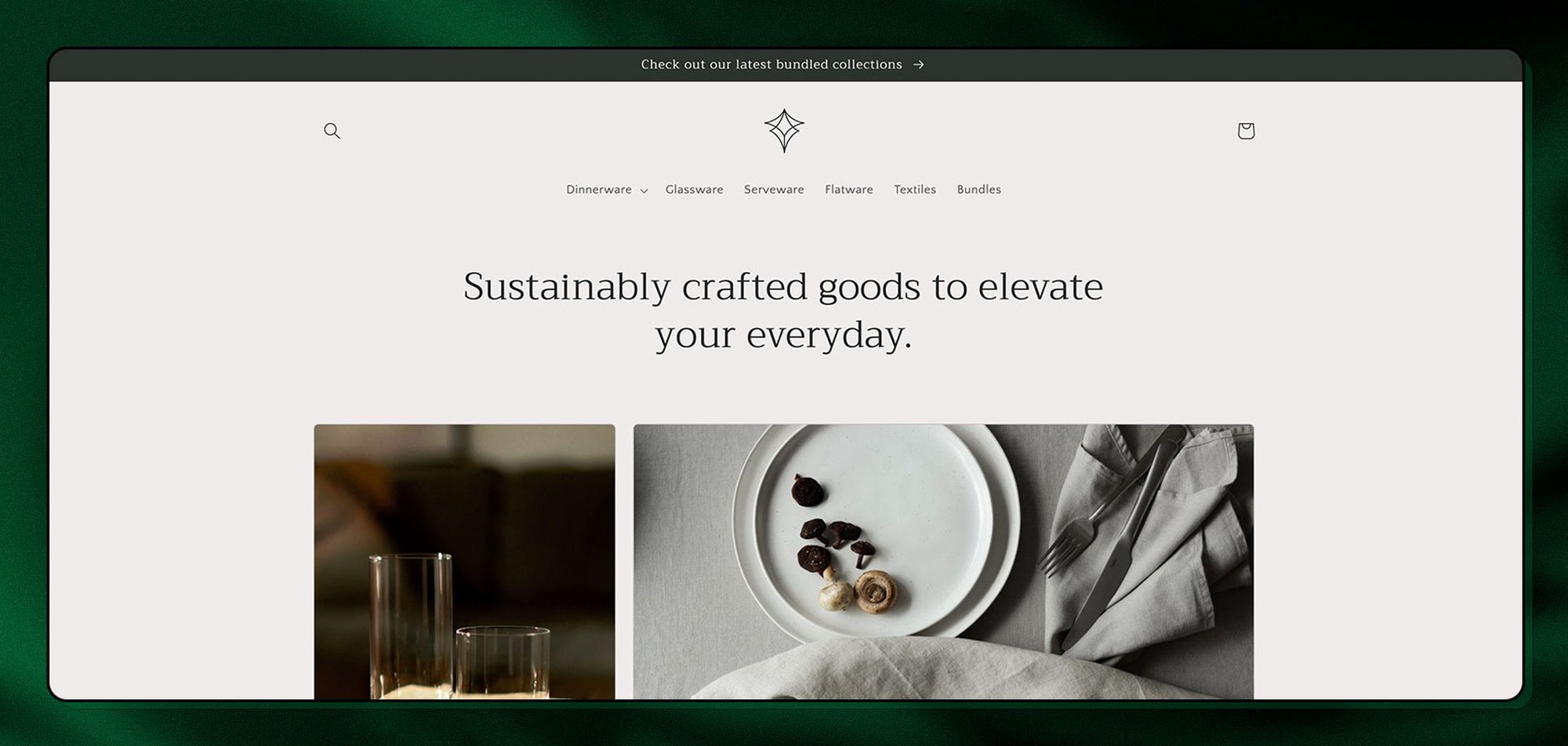
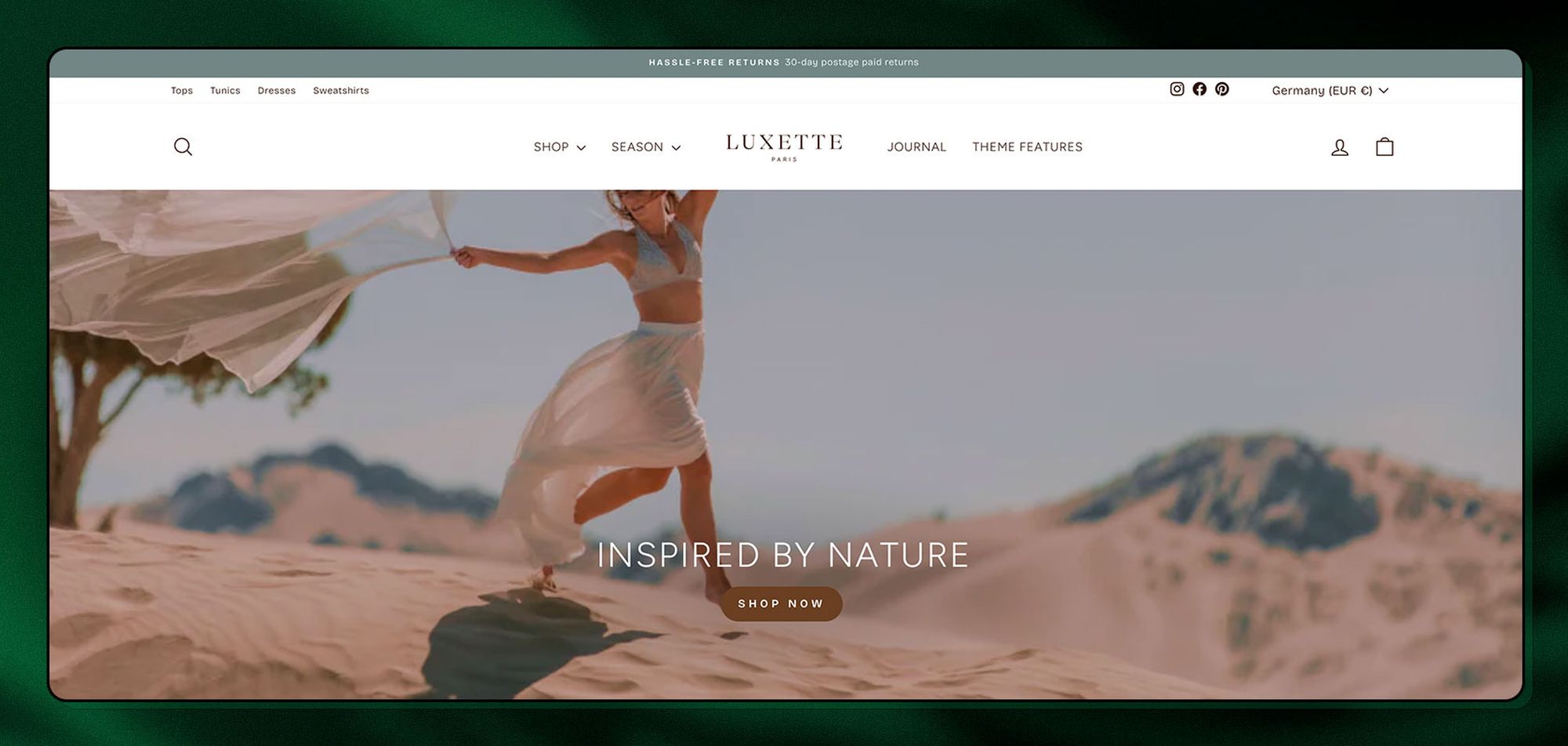
The appearance and user-friendliness of an online store are crucial success factors. After all, the more appealing the store looks and the easier it is to use, the higher the conversion rate tends to be.
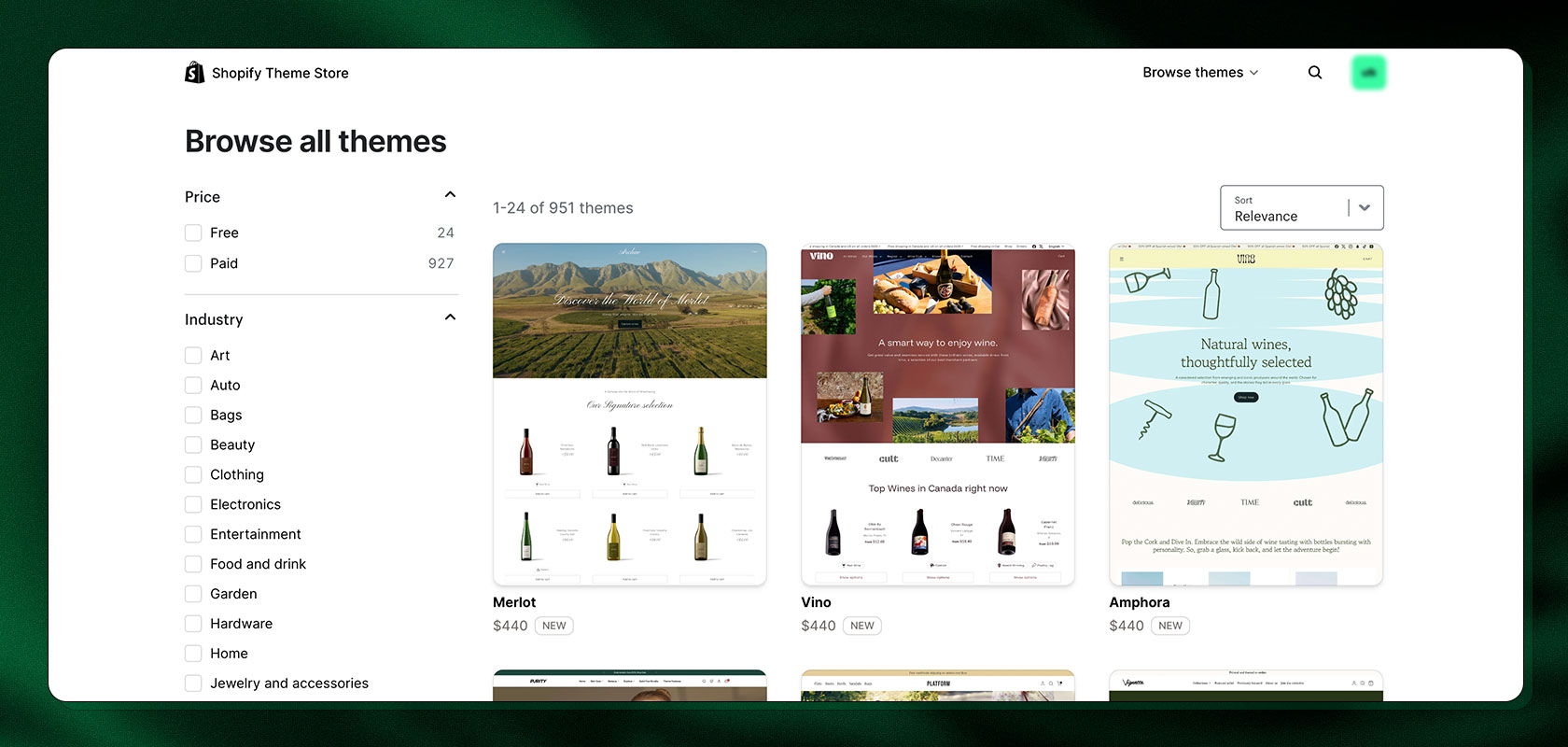
When you search for Shopify themes for the first time, you may feel overwhelmed. After all, you'll find more than 900 templates in the Shopify Theme Store, all of which look impressive at first glance. As if that weren't already more than enough to choose from, there are also numerous third-party providers and online marketplaces for Shopify design templates.
To help you find the perfect theme for your brand, we're sharing our 15 favorites in this post.
But before that, we'll tell you exactly what themes are and what criteria you should use to select a suitable one.
Short answer:
New store, small budget: a free theme from the Horizon family, the current standard for new stores.
Existing store on Dawn: no need to switch. Dawn will continue to be supported.
Fashion, beauty, lifestyle: Prestige, Impulse, or Symmetry.
Large catalogs or B2B: Empire, Concept, or Broadcast.
Special requirements: a custom theme (Custom Theme Development).
This post will help you find the right Shopify theme: We explain the basics, highlight the changes coming in 2026 (Horizon has replaced Dawn as the default), outline selection criteria—including BFSG and performance—and compare default themes with custom development. We also present 15 favorites with current prices and versions.
Do you need professional support designing and building your Shopify or Shopify Plus store? Then you've come to the right place. Feel free to contact us. We’ll be happy to help.
What is a Shopify theme?
Shopify themes are ready-made design templates that determine the appearance, user guidance, and specific functions of an online store. They offer a combination of layout, color scheme, fonts, and functionalities that give your store a consistent, professional appearance. Shopify themes can come from Shopify itself or from third-party providers and are available in different styles, industry focuses, and functionalities.
Design plays a very important role in the online world. As explained at the beginning, it has a great impact on attracting, retaining and ultimately converting prospects into paying customers.
However, when choosing a design, you should not only make sure that it looks especially nice. It should also fit your industry. For example, if you work in the healthcare industry, you need a theme that looks professional and clean. However, in the fashion industry, you can go for a colorful and dynamic design. Still, of course, it is important to give your store a personal touch and not make it look exactly like the competition's. Moreover, its functions should also be adapted to your individual needs.
Note: The terms Shopify templates and Shopify themes are often used synonymously. However, there is a clear distinction here. Themes are complete website templates, whereas templates are just design templates for individual pages. A theme thus combines several Shopify templates, which together create a round overall picture.
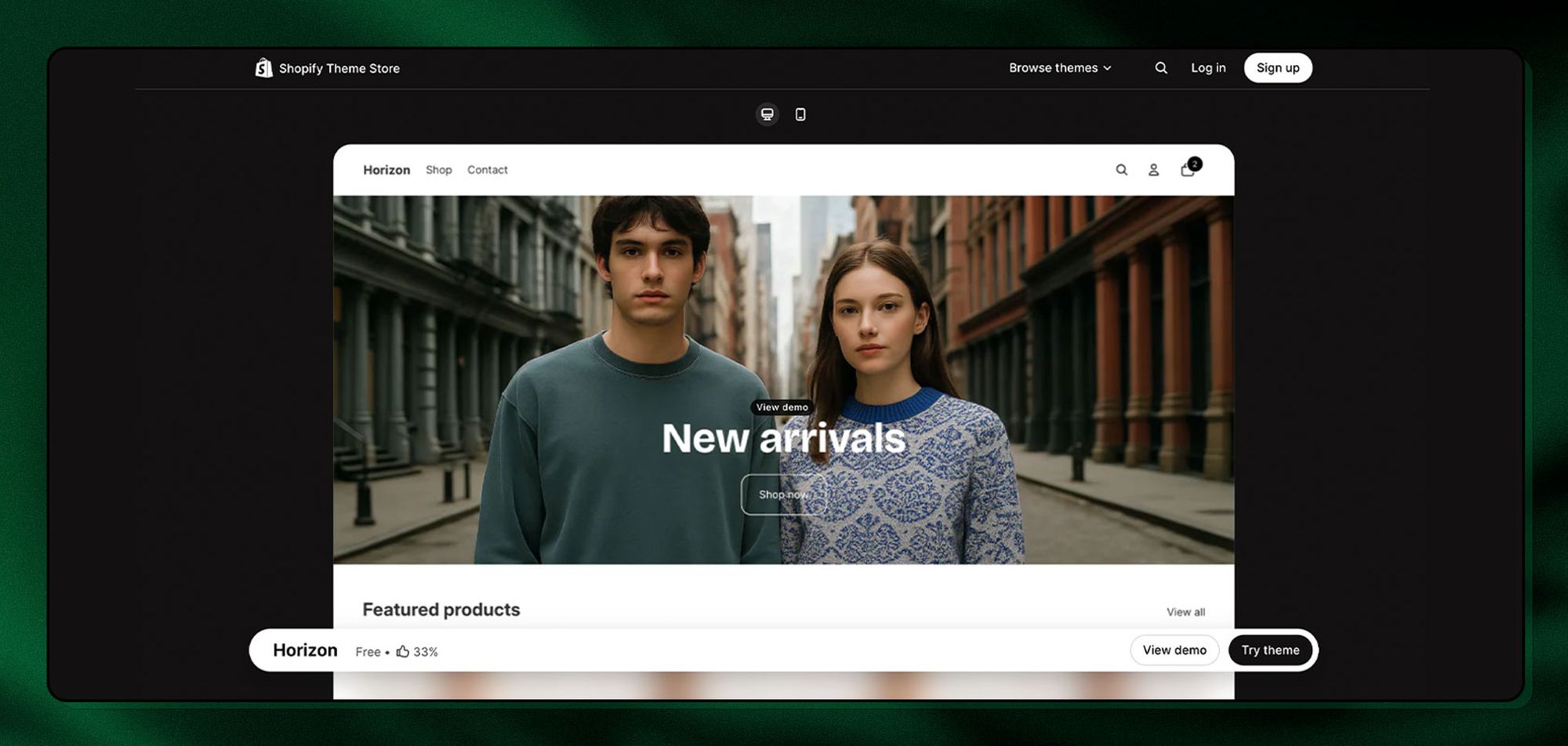
Until recently, Dawn was the default theme for new Shopify stores. Today, it’s Horizon: Shopify introduced the collection of ten free themes on May 21, 2025 (Summer ’25 Edition; see Shopify Editions). Both systems are based on Online Store 2.0 and can be customized using drag-and-drop in the Theme Editor. The difference lies in the architecture:
Dawn works with sections that contain blocks (two levels).
Horizon uses nested theme blocks (up to eight levels, according to third-party sources). This allows for more flexible layouts without code. The editor also supports AI-powered block creation. You should check in the editor to see if this feature is enabled for your account and language.
Important when switching: There is no automatic conversion from Dawn to Horizon. Your templates must be rebuilt. Check beforehand whether your apps work with Horizon. Third-party tests also showed that Horizon demos initially performed worse than Dawn on mobile devices. Therefore, test with your actual products and images.
How to choose the right Shopify theme
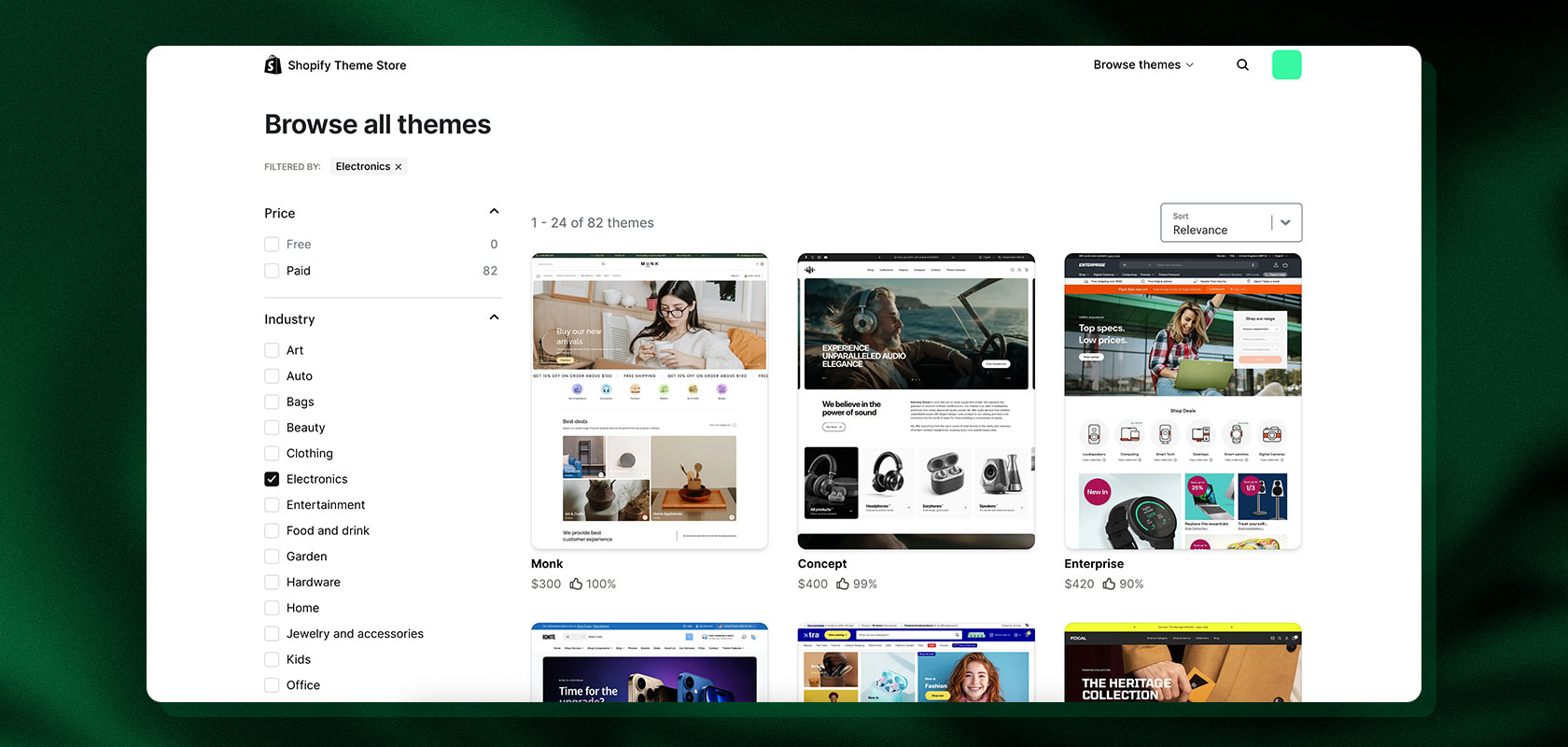
In the Shopify Theme Store, the different design templates are divided into categories. To find a suitable theme, you should consider the following criteria:
Store size
A large online store with thousands of items has different design requirements than a smaller one with only 20 products. For this reason, Shopify divides its themes into large and small product catalogs, among others.
Mohamed Hamid
Frontend Developer at Latori
Choose the theme whose demo already reflects about 80% of your catalog and products, not the one with the most attractive demo photos. Base your decision on how well it fits your needs, not on the number of features.
Industry
From the appearance of the online store, it should be immediately recognizable which product you sell. For this reason, Shopify Ecommerce themes are also categorized by industries such as electronics, clothing, restaurants and pet supplies.
Reading Tip: Our article The ABCs of Good Store Design explores why store design is about more than just aesthetics.
Functions
You can use the basic features of the e-commerce platform with any Shopify theme, but each design template has different presets and pre-built features. So, if you absolutely need certain features, you should base your theme selection on them. Possible features are: Fixed header, mega menu, color swatches and translations for EU languages.
For B2B merchants, the “Quick Order List” and “Quantity Pricing” features are also relevant. With many themes, the latter is only available with Shopify Plus. You can find both features in the themes’ feature lists—for example, in Prestige and Concept.
Reading tip: We explain how to set up a B2B store with Shopify in the article “B2B Store with Shopify.”
Costs
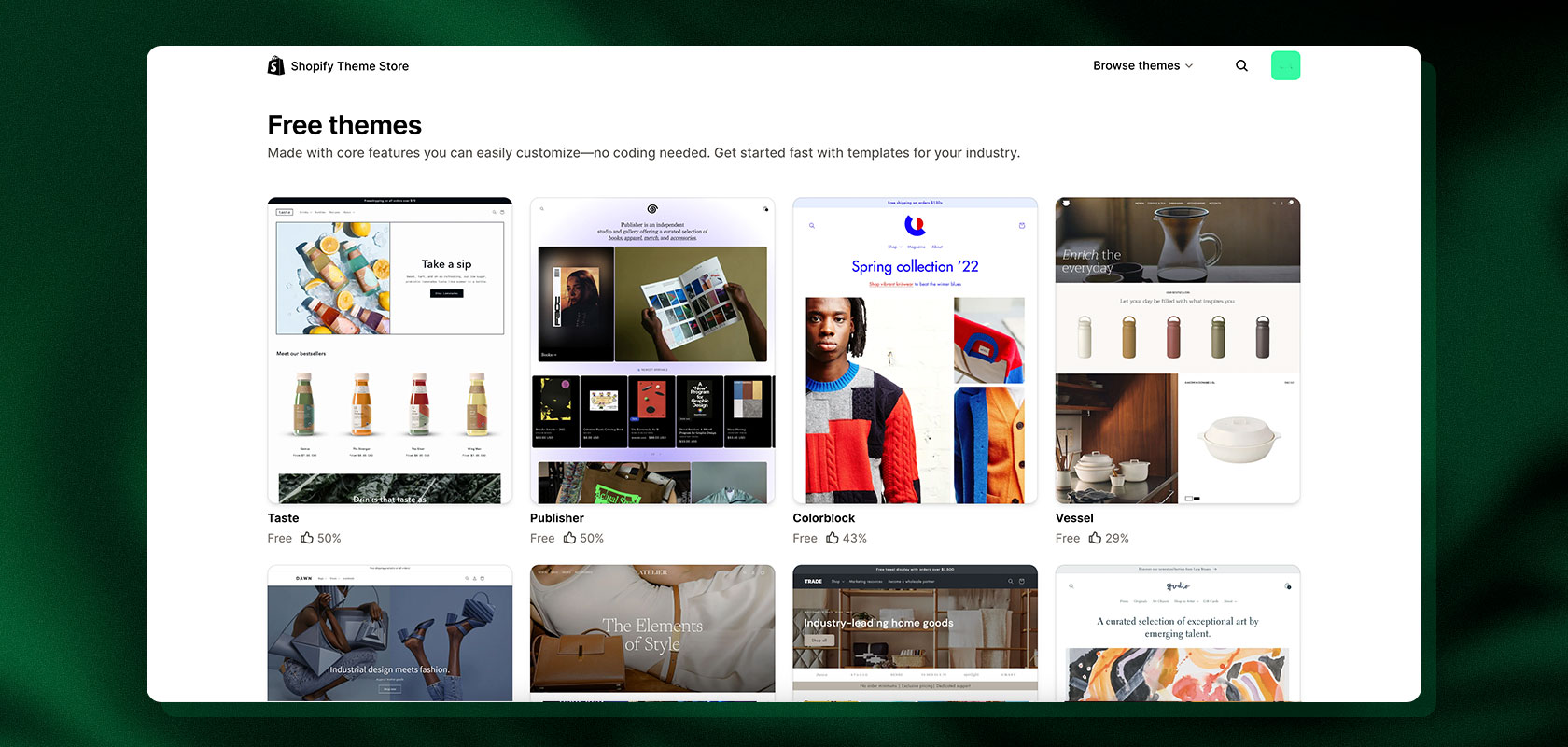
You also have the option to choose between paid and free Shopify themes. The store currently offers about 24 free themes developed by Shopify itself. These are essentially two systems with multiple presets: Dawn and Horizon. The paid designs are provided by third-party vendors but are approved by Shopify and receive regular updates. According to the Theme Store, they cost a one-time fee of approximately $100 to $500, are licensed for a single store, and include free updates. Payment is not required until you publish the theme.
Although the shop system already offers a wide variety of design templates in its own store, you can still check out third-party providers and online marketplaces.
Language: All themes presented here include EU translations (including German). However, you are still responsible for legal texts, base price information, and cookie consent.
Accessibility: The Accessibility Enhancement Act (BFSG) has been in effect since June 28, 2025, and applies to many online stores that sell to consumers. Micro-enterprises are exempt for services. According to onwalt, purely B2B offerings with no consumer involvement are not covered by the law. The WCAG serve as the technical standard. A good theme is the foundation, but it does not replace a review of content, apps, and the checkout process. Example: Version 6.0.3 of Concept improves screen reader output and keyboard navigation. Have your legal obligations clarified.
Reading tip: We reveal how Shopify Plus merchants can customize their checkout with apps in the future through the new Shopify Checkout Extensibility here.
Responsive design with Shopify themes
In today's digital world, responsive design is essential, especially for online stores. Responsive design means that the layout of a website automatically adapts to different screen sizes and devices - be it on a desktop, tablet or smartphone. Given that the majority of internet traffic now comes from mobile devices, it is crucial that a Shopify store is optimized for all devices.
Shopify offers a variety of mobile-friendly and responsive themes to ensure your online store looks its best on all devices. Shopify offers numerous pre-installed themes that are optimized for all screen sizes by default. These themes adapt automatically, so you don't have to worry about making any additional adjustments. Some of the most popular responsive themes include “Impulse,” “Dawn,” or “Prestige”.
With the Shopify Theme Editor, you can further customize your responsive design and ensure that it looks good on both desktop and mobile devices. The editor offers a preview function that allows you to test the design on different screen sizes before publishing changes. Shopify also offers a variety of apps specifically designed to optimize mobile experiences. These apps make it possible to integrate certain mobile features such as quick view of products, mobile payment options or customized mobile navigation.
Measuring performance: Google evaluates the loading experience using Core Web Vitals. LCP up to 2.5 seconds, INP up to 200 milliseconds, and CLS up to 0.1 are considered “good.” Always test a theme with your actual products, not with demo data. Too many apps can slow down even a fast theme.
Test without risk: Use “Test Theme” to install a theme as an unpublished copy. Don’t change your live theme until you’re satisfied with the test copy.
Reading tip: To learn how page load time and technology affect your ranking, check out the Shopify SEO Guide.
Shopify theme vs. custom development: Which is the best choice for your store?
If you want to create an online store with Shopify, you have the choice between using a ready-made theme or custom development of your own design.
A standard Shopify theme is a ready-made design template that you can install, customize, and use right away. It includes layouts, styles, and basic features that are sufficient for most stores.
A custom-developed theme is a design programmed specifically for your store, tailored from the ground up to your brand, products, and user experience. It offers maximum flexibility but requires more time and budget.
Both approaches have their advantages and disadvantages, and the decision depends on your individual requirements and goals.
A quick comparison:
Free Theme
Paid Theme
Custom Theme
Cost
0 USD
Approx. 100–500 USD (one-time)
Project-dependent
Launch
Immediate
Immediate
Weeks to months
Customization
Medium
Medium to high
Maximum
Maintenance
Shopify
Theme developer
You or your agency
Best Suited For
Launch, testing
Growing stores
Unique user journeys, custom logic
Shopify theme: The advantages of a pre-built theme
Pre-built Shopify themes are ready to use and can be customized to fit your brand and products with just a few adjustments. Shopify offers a variety of free and paid themes that are specifically designed to work well on all devices and provide a user-friendly experience.
Advantages of Shopify themes:
Fast implementation: as the designs are already created, you can install and customize a theme in a short time without having to plan for long development times.
Less expensive: Compared to a customized solution, Shopify themes are much less expensive. Prices vary depending on the theme, but many basic themes are free or very inexpensive.
Ease of use: Shopify themes are easy to use and offer an intuitive way to design the store, even without extensive technical knowledge.
Mobile optimization: Most Shopify themes are already responsive, which means your store will look great on different devices, especially cell phones.
Regular updates: Shopify offers regular updates for its themes, so you can be sure that your design remains compatible with the latest features and security standards.
Disadvantages of Shopify themes:
Limited customizability: although you can customize a theme to suit your brand, the options for full personalization are limited. You can't change all aspects of the design without digging deep into the code.
One-size-fits-all look: Since many other Shopify merchants use the same theme, your store might not look unique if the design is not customized deeply enough.
Custom Development: A Unique Design for Your Brand
With custom development, a team of developers or designers creates your store’s layout and features from the ground up. You have full control over the visual appearance and user experience.
Advantages: a unique design that aligns with your brand, full flexibility from navigation to product pages, better scalability, and a user experience tailored to your target audience that can improve conversion rates and customer satisfaction.
Disadvantages: higher costs, a development time ranging from several weeks to months, and the responsibility for maintenance and updates to ensure the theme remains compatible with new Shopify features and security standards.
Creating Your Own Shopify Theme: A 5-Step Process
Briefing and Design: Define goals, target audience, wireframes, and design.
Choose a foundation: Build from scratch or start with Dawn or Horizon (documentation).
Development: Liquid, sections and blocks, JSON templates, and the Shopify CLI.
Quality assurance: Theme Check, Core Web Vitals, accessibility, and testing on real devices.
Launch: Test as an unpublished theme, then go live. Maintain the code using version control.
Practical Expert Knowledge: Advice from Our Developers
We build and maintain themes for Shopify and Shopify Plus stores. Here’s what our developers recommend so you don’t judge a theme based solely on its appearance.
Clarify First, Then Recommend
Before recommending any theme, we clarify the following: product catalog scope and variants, B2B or D2C, number of markets and languages, and apps that need to be integrated (reviews, subscriptions, filters). As starting points, we recommend Horizon or Dawn as lean foundations for custom implementations; Impact for high-revenue brands with large product catalogs and a promotion-focused look; and Prestige for high-end, content-driven brands.
Well-built or best avoided?
Good signs: native Online Store 2.0 architecture (JSON templates, sections, app blocks), minimal and modular JavaScript loading without jQuery, semantic HTML, responsive images, translations in locale files instead of in the code.
Best to avoid:
Multipurpose themes: They load sliders, page builders, and plugins for every niche on every page; they’re often not 2.0-compliant and break when the platform changes.
Page builder-dependent setups (e.g., PageFly, GemPages): custom markup and JavaScript, plus dependencies.
Vintage themes (pre-2.0): no sections on all pages, no app blocks.
Dawn or a premium theme?
The code of a premium theme isn’t automatically better. Dawn is Shopify’s streamlined reference theme. You pay for ready-made merchandising features (mega menu, color swatches, sticky “Add to Cart,” cart upsells, lookbooks—each of which takes developers days to implement on Dawn), a polished design, and support, including updates.
Dawn or Horizon is worth it if a developer is doing extensive customization or building a custom theme and the product catalog is simple.
A premium theme is worth it if you don’t have a developer and the built-in features would cost more than the license.
Limitations and Red Flags
Here’s where themes hit their native limits: B2B (customer-specific pricing, quantity rules, tiered pricing), bundles and complex configurations, a high number of variants, multi-market setups, as well as subscriptions with variants and B2B/B2C hybrid stores.
You’ve outgrown your theme if:
Lighthouse and Core Web Vitals scores get worse with every app release
Remnants of old apps’ code remain in the theme files
Every small change requires a developer, or the theme can no longer be updated
Page builders are used to patch gaps, or pricing and bundle logic is embedded in fragile Liquid/JavaScript hacks
The 10-Minute Check
Network tab: Size of JavaScript and CSS, number of requests, blocking files, jQuery, and third-party scripts.
Console and Lighthouse: JavaScript errors, layout shifts, LCP, accessibility. The “Theme Inspector” extension shows slow Liquid.
Theme Editor: Sections and blocks on every template, app block support, logical settings instead of hard-coded sections.
Top Shopify themes for your online store
There are hundreds of Shopify themes on the market, both free and paid. To make your selection easier, we have compiled a list of our favorites that stand out in terms of design, functionality, and user-friendliness. These themes are tried and tested, regularly updated, and used by successful Shopify merchants and Latori customers.
Free Shopify themes
Free Shopify themes are probably the first choice for most users of the platform, after all they are free and come directly from the provider. With the release of Online Store 2.0, Shopify's new theme engine, some impressive new design templates have been added here as well. There are now two theme families: the Dawn family (including Dawn, Sense, Craft, Refresh, and Studio) and the newer Horizon family, which includes ten themes (Horizon, Fabric, Ritual, Vessel, Heritage, Tinker, Savor, Dwell, Atelier, and Pitch). But let’s move on to 4 of our favorite free themes (out of a total of 15):
Horizonis one of the most visually impressive free Shopify themes, designed for brands that want to stand out with strong images and modern layouts. Its editorial-inspired design and large-scale visuals make it ideal for fashion, lifestyle, and outdoor brands that focus on storytelling and aesthetic presentation.
In addition to its appealing look, Horizon helps increase customer loyalty, build trust, and present products in an appealing way—all without any programming knowledge. Fully compatible with Online Store 2.0, fast, flexible, and completely free.
Horizon is now the default theme for new stores and forms the basis of the theme family of the same name. Current version: 4.3.0 (October 9, 2026). A new feature compared to Dawn is nested theme blocks. Included out of the box are, among other things, back-in-stock notifications, stock counters, color filters, Quick View, and pre-orders.
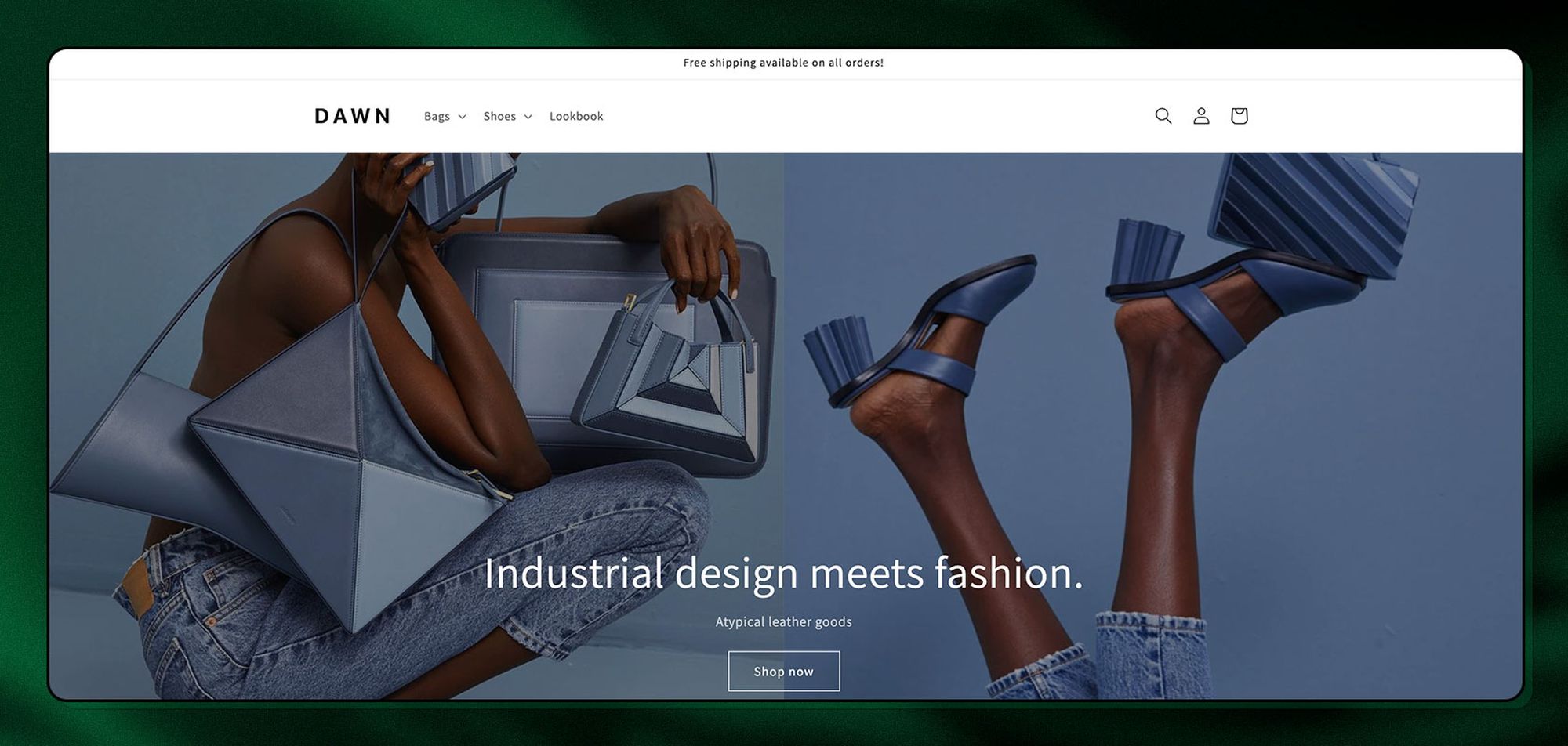
Shopify Dawn Theme is the first free "Shopify 2.0" theme that takes full advantage of the new theme engine. The result is faster loading times and a modern design optimized based on insights from Shopify data. By default, Dawn uses a static header image with a call to action instead of an automatically scrolling slideshow (a slideshow is available as a feature).
Moreover, Shopify Dawn theme is more flexible than previous templates. While you were previously limited to extensive personalization of the home page, you can now add custom sections to product pages, for example. The minimalist design makes Dawn a true all-rounder, equally suitable for stores with many products and those with just a few. Shopify refers to it as "visual storytelling" because the navigation focuses on product images. So if you have high-quality product photos and want to present your items in an appealing way, the Shopify Dawn theme is a great choice.
Dawn is still being maintained; current version: 16.1.0 (October 9, 2026). For existing Dawn stores that are running smoothly, there is no immediate reason to switch. Documentation from Shopify.
Features:
Predictive Search
Advanced product filtering
Fixed Navigation
Size chart
Reading tip: We explain Dawn's features, customization options, and limitations in detail in our article on the Shopify Dawn theme.
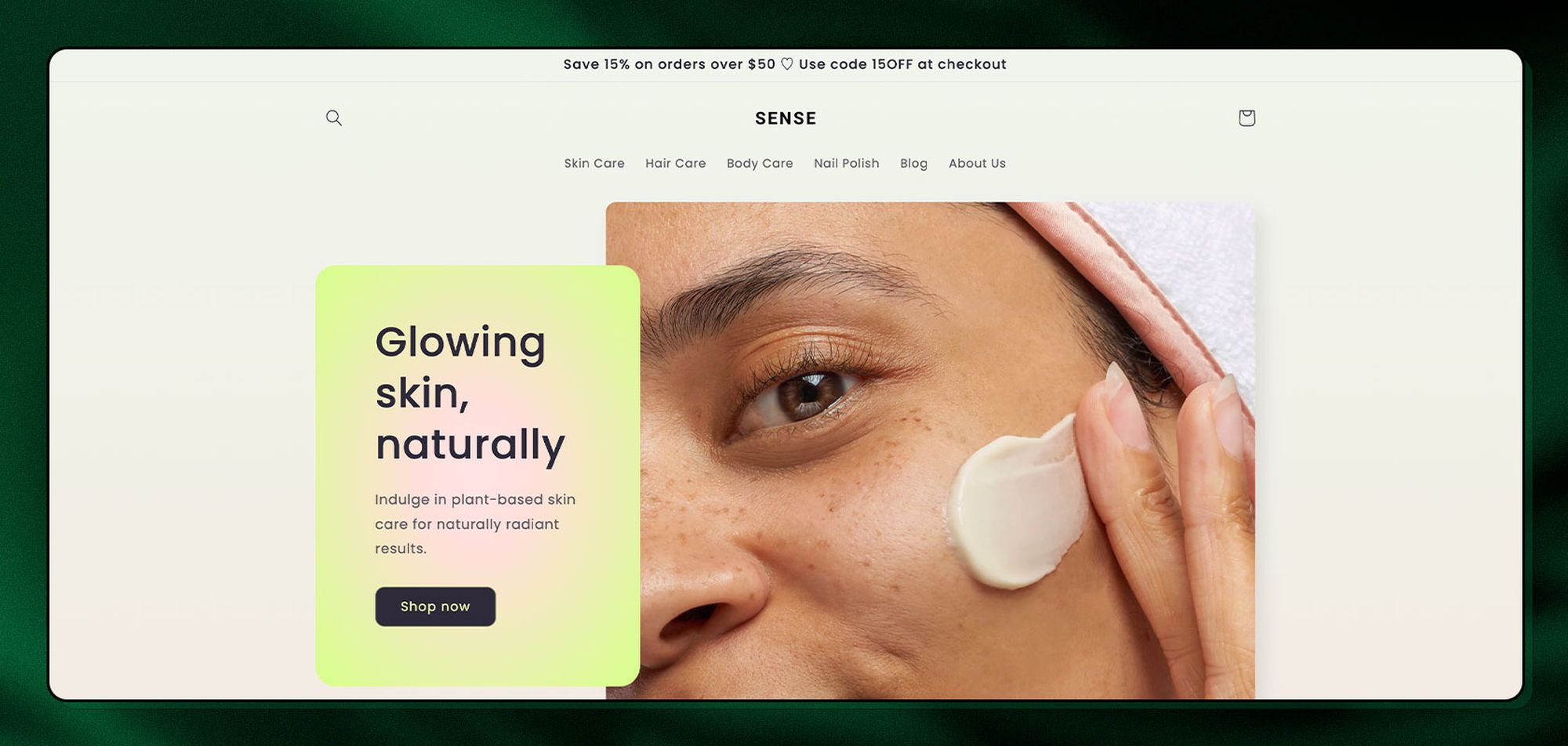
Sense is also a 2.0 theme that was released only in 2022. It is similar to Dawn, but is especially designed for online stores in the health and beauty sector. For example, the product pages are a bit more extensive than Dawn's, so you can present your beauty products in a proper way. Due to the good filter options and the simple product navigation, Sense is also suitable for online stores of any size.
Craftis also a Shopify-owned theme and comes from Generation 2.0, but unlike its two predecessors, this design template specializes in home decoration or garden products with any catalog size. With the Craft theme, you can design a store that will help you showcase your creativity and craftsmanship. Like the other Shopify 2.0 themes, Craft offers various sections and blocks, only the arrangement differs from other templates. So, if you are looking for an elegant and flexible theme for your store, you should definitely give Craft a try.
Features:
Galleries
Videos on the home page and product page
Blog posts on the home page
Testimonials from customers
Reading tip: The 11 best apps for Shopify in the Shopify App Store to help you master taxes, cookies, product data, and more with your ecommerce business.
Paid themes
In addition to the free Shopify themes, you can also find a number of paid templates in the store, as mentioned earlier. We present our 11 favorites in this category below.
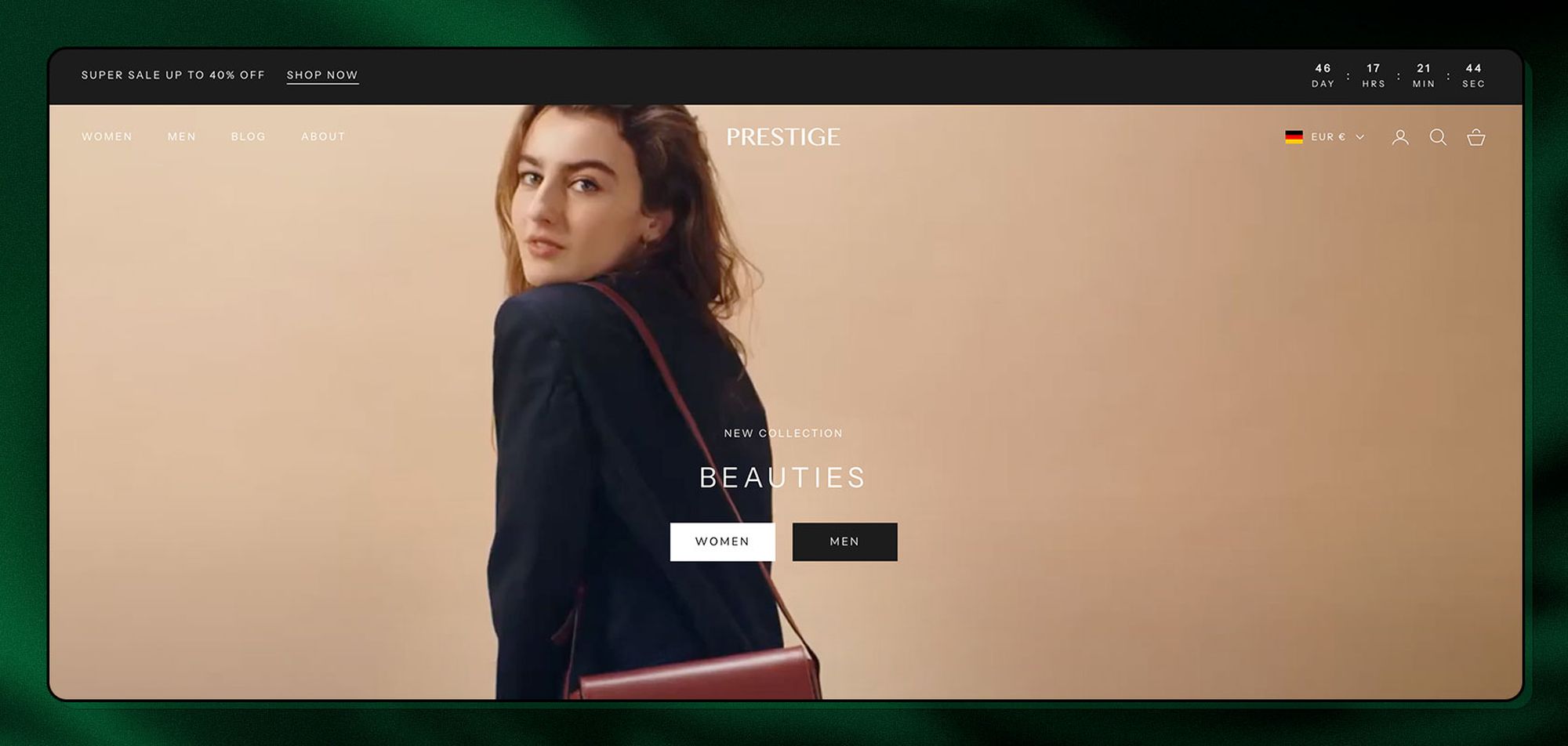
With Prestige-Theme You get five ready-made style presets (“Prestige,” “Couture,” “Vogue”, “Strass”, “Signature”) to choose from. It is ideal for online shops in the clothing & accessories, health & beauty, and business equipment and supplies sectors—especially when the focus is on high-quality, visual brand presentation. You can add and organize any number of products—the theme supports both small and large catalogs. The current version of Prestige is 11.4.1, and it was released on September 14, 2026.
Features:
Hotspot products
Advertising banner
Slideshow
Pick up in store
Inventory counter
Store finder
Animation
Color sample
Size chart
FAQ
Currency selection
Newsletter Pop-up
Reading tip: You can find everything you need to know about features, presets, and use cases in our in-depth article on the Prestige Theme.
Impulse is one of the most popular Shopify themes. It offers a lot of room for personalization and has already pre-integrated popular features like an FAQ section or a blog. Impulse especially scores with its marketing options: For example, you can use it to create extensive discount promotions to promote your products and your online store. The built-in filter functions are also excellent and help your buyers browse even large product catalogs. Impulse is a paid 2.0 theme that is available on the Shopify store, but it was developed by a third-party developer. Accordingly, you need to contact the developer for support. The current version of Impulse is 10.0.0, and it was released on October 9, 2026.
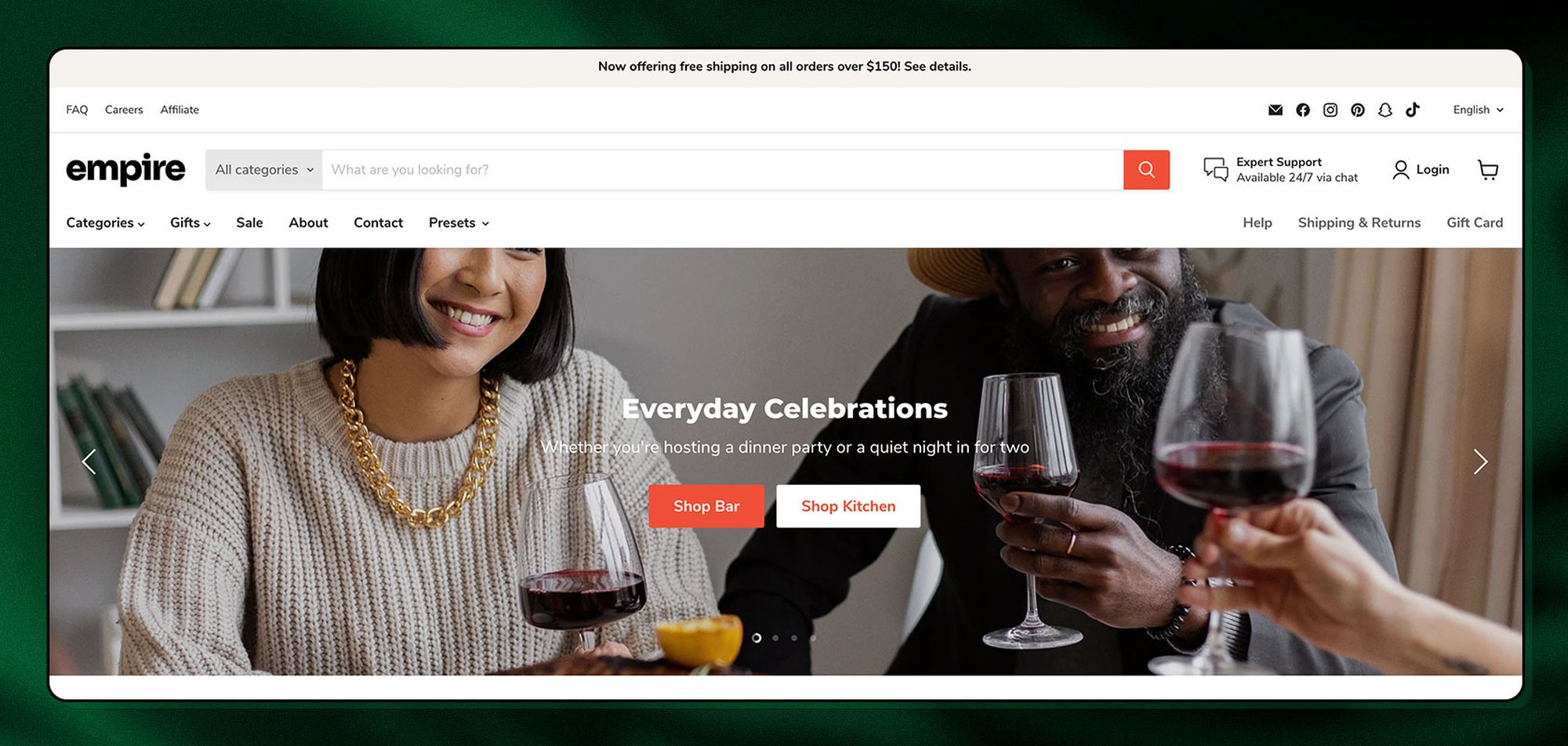
Another very popular paid Shopify theme is Empire. It is designed for large product catalogs and the design was inspired by the market itself. With the exceptional functionality, organization and performance it contains, you can increase your customers' confidence. Example features for this are mega menus, tag filters and category search. Furthermore, Empire can shine with the following features, among others. The current version of Empire is 13.0.1, released on August 24, 2026. With a 79% positive rating, Empire ranks slightly below other premium themes, but offers a quick-order list that is of interest to B2B retailers.
Features:
Shopping cart notes
Pick up in store
Pre-order
In-menu promos
Inventory counter
Store finder
Slideshow
Trust Badges
Animations
Color fields
Lookbooks
Reading tip: These 6 helpful Shopify Hacks every online merchant should know and implement for his webshop.
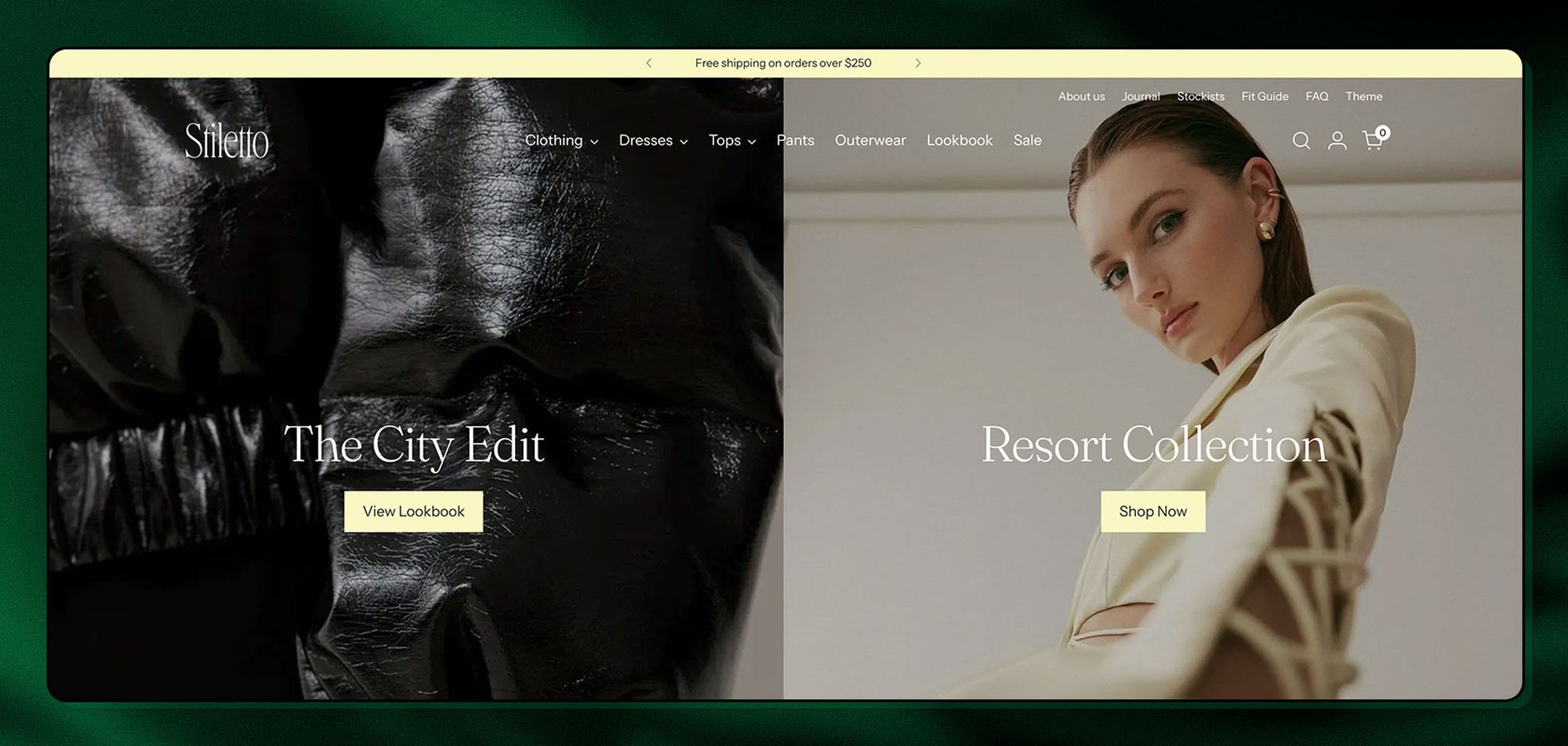
Stiletto is a luxurious Shopify theme designed primarily for growth. With the Stiletto theme, a clean and functional design meets highly customizable features for a compelling product discovery experience. The current version of Stiletto is 6.3.0, and it was released on October 14, 2026 (Developer: Fluorescent Design, 5 presets, 92% positive ratings based on 154 reviews).
Features:
Translations for EU languages (DE, EN, FR, IT, ES).
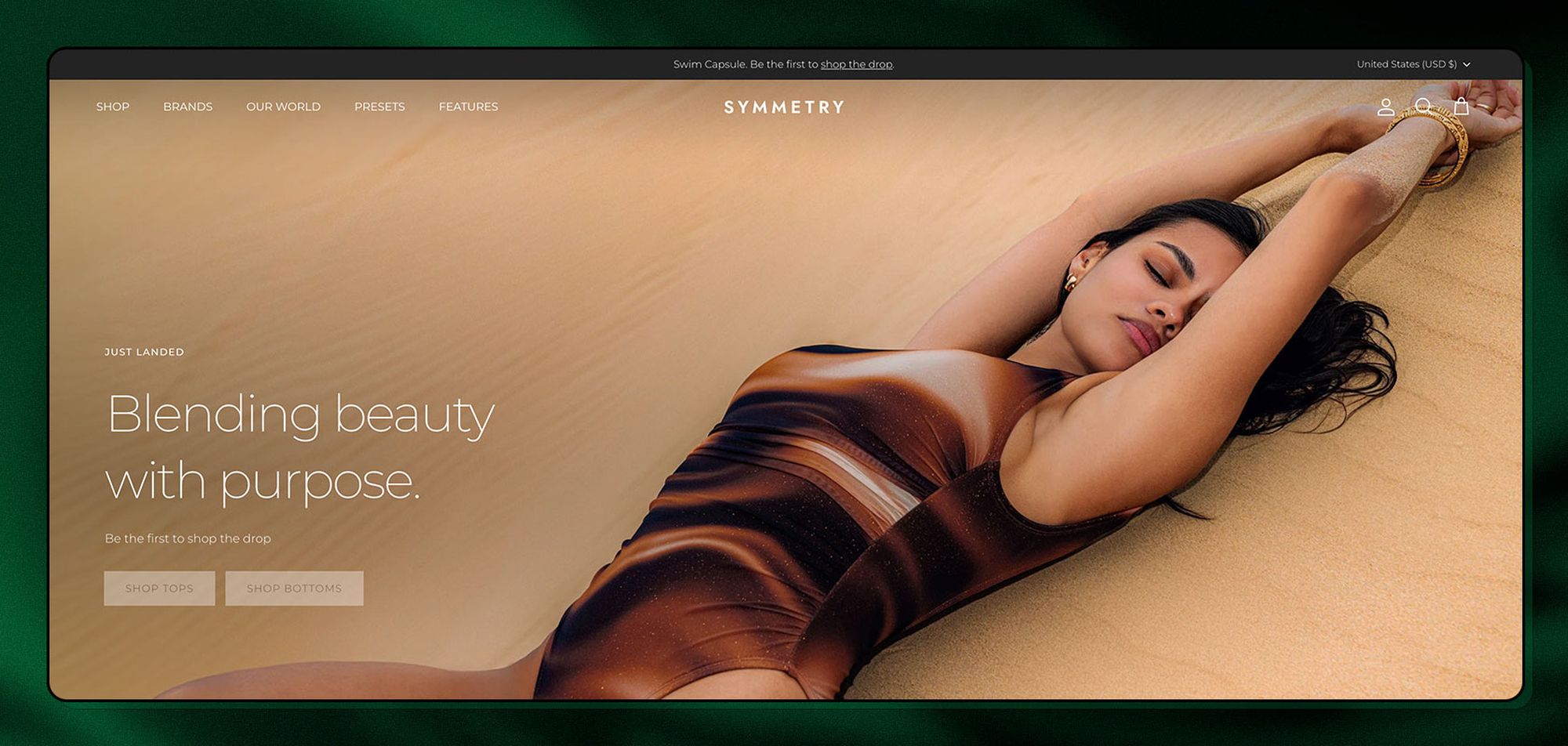
Symmetry is a fashionable and professional Shopify 2.0 theme with many premium features. Symmetry is perfect for large-scale inventory and offers all the features you need to create a professional online store. The current version of Symmetry is 8.3.2, and it was released on July 3, 2026.
The Shopify theme Conceptoffers a variety of features for large product catalogs and merchants who rely on a professional design. It combines customizability, performance and user-friendly features to improve the shopping experience and increase sales. The current version is 6.0.3 (September 24, 2026). This update improves accessibility: screen readers now correctly read out the shopping cart, sold-out options, form errors, and search results, and keyboard users can access all menus. With a 98% positive rating, Concept is one of the highest-rated themes in the comparison.
Features:
Modular structure
High-quality product presentation
Optimized for large catalogs
Responsive design
Built-in promo banners, countdown timers and pop-ups
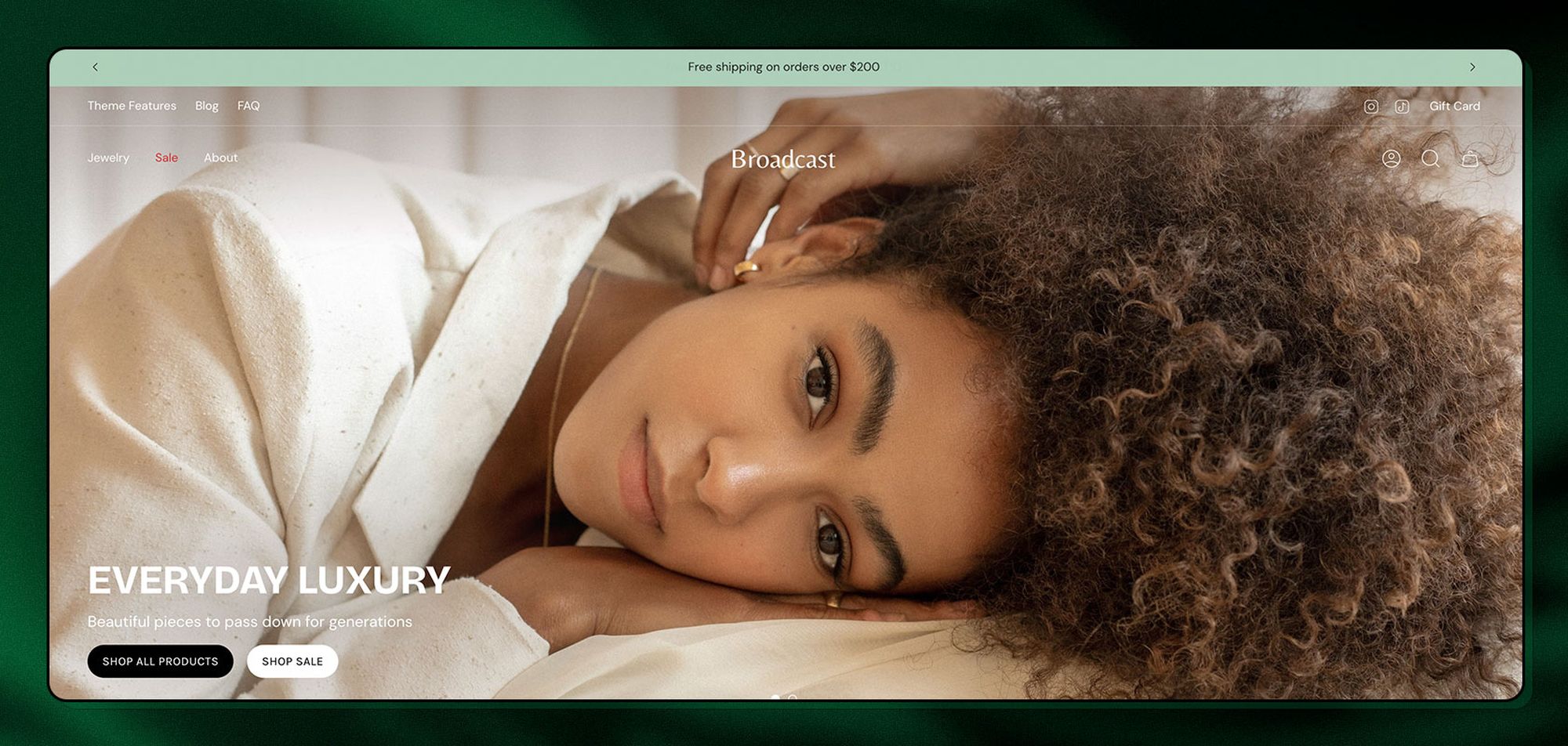
The Shopify theme Broadcast is ideal for merchants who place great value on visual product presentation, modern design and intuitive user guidance. With its modular customizability, built-in marketing tools and responsive performance, it is perfect for growing e-commerce stores with visual and product-heavy requirements. The current version of the broadcast is 8.1.1 and was released on April 10, 2026.
Features:
Responsive design
Modular structure with drag-and-drop
Optimized for visual presentation
Extended product pages and product catalog management
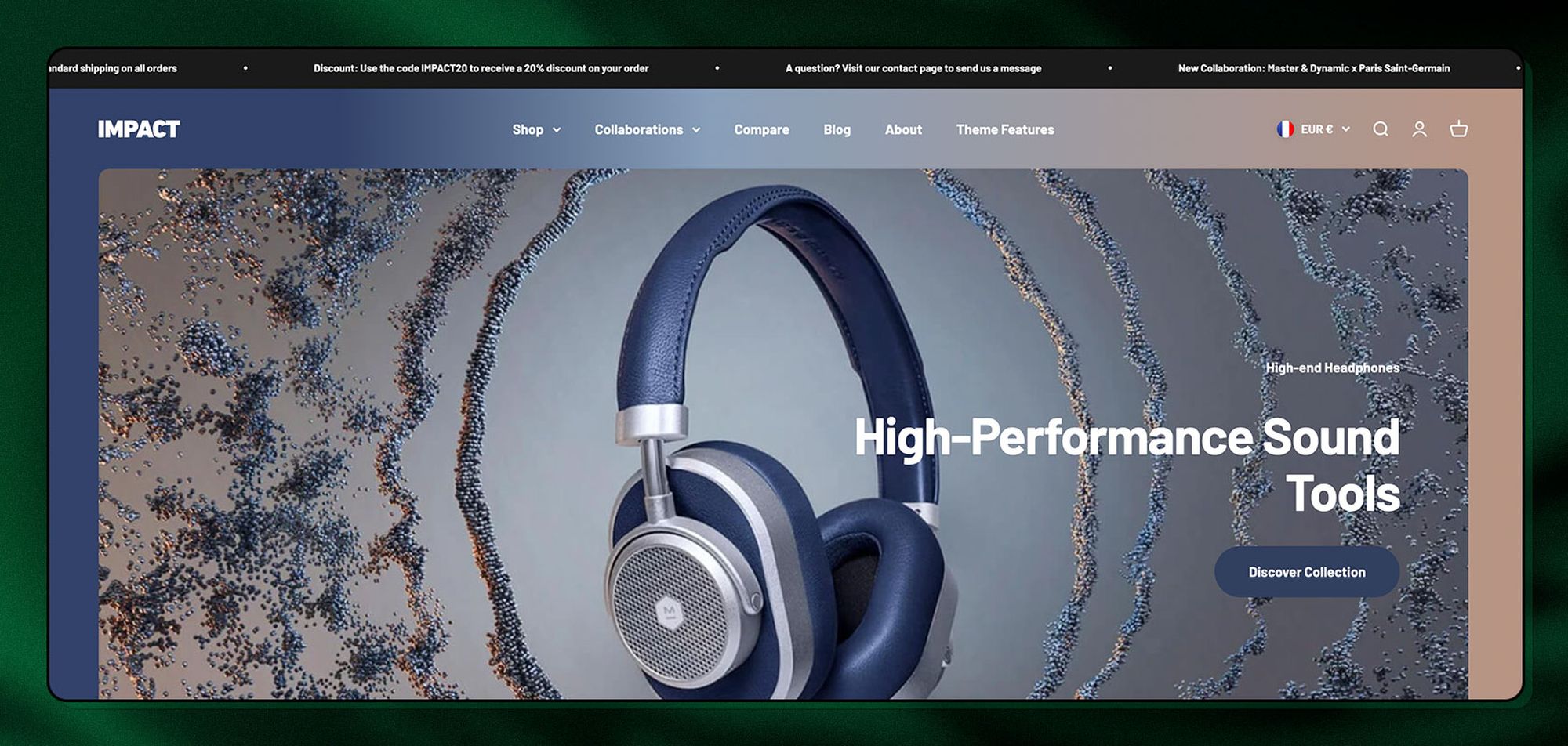
The Impact theme is a premium theme for Shopify that features a modern design, high customizability and a variety of features. It has been specially developed to create visually appealing and user-friendly online stores. The theme is particularly suitable for brands that want to make a strong visual impression, such as fashion, technology, lifestyle or beauty products. The current version of the Impact Theme is 6.9.0 and was released on July 11, 2025.
Features:
Interactive hotspots
Before and after display
Cross-selling options
Offer blocks
Mega menus
In-menu promos
EU translations (EN, FR, IT, DE, ES)
In addition to the favorites already mentioned, in the following sections we present new, trendy themes that are currently popular with growing brands and Shopify Plus merchants.
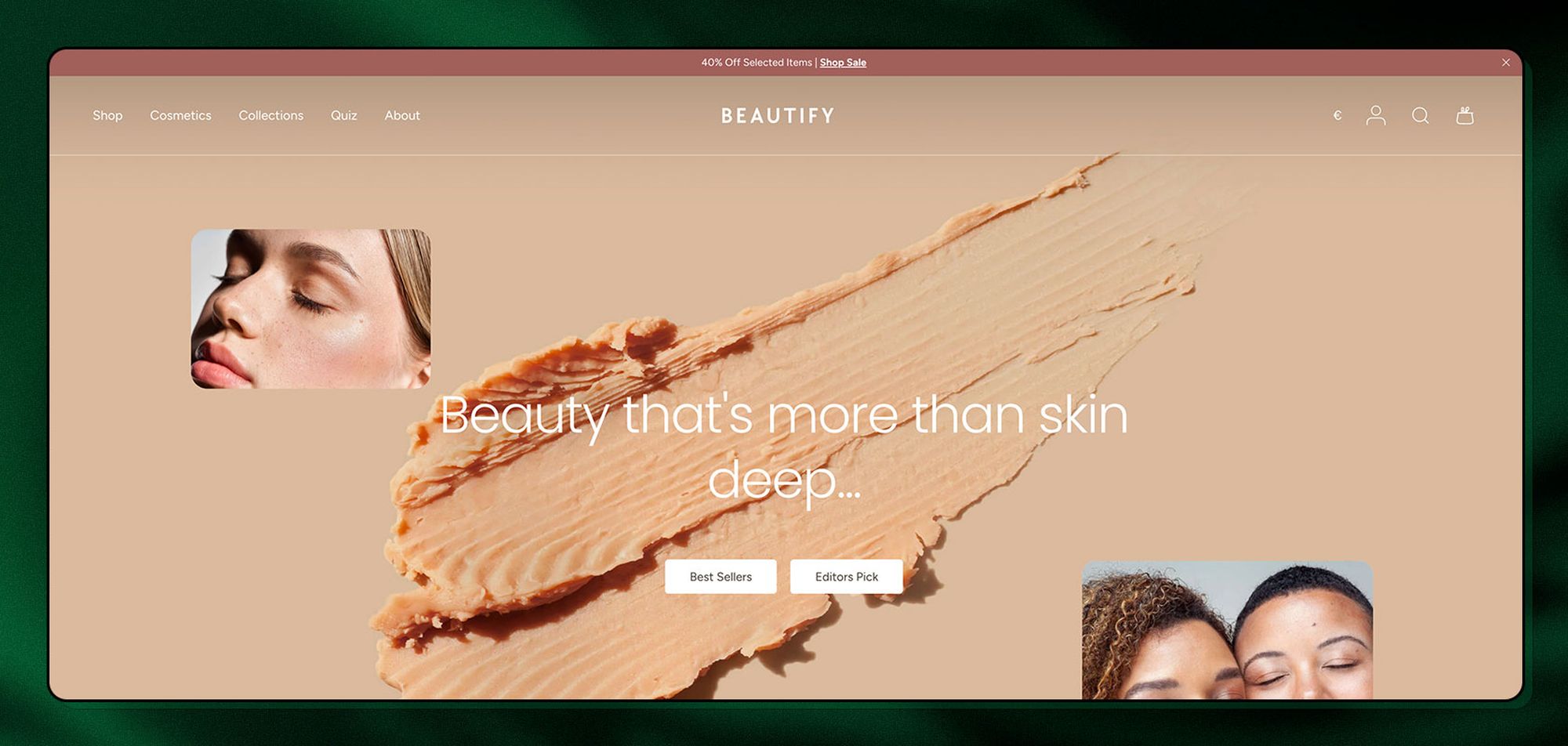
The Shopify theme Beautify is perfect for brands in the makeup, nail polish, or products with many color shades sector. It combines a high-quality design with interactive features that enhance the shopping experience.
Features:
Shade Picker: Native color variant selector, ideal for products with many color shades
Quiz Sections: Integrated quiz function (no additional app required) to recommend suitable products to customers (e.g., skin type or care goals)
Combined Products: Display multiple variants/colors on one page without separate product pages
Fluid Section Blends & Parallax Hero: Flexible layouts with smooth transitions and parallax effects for a high-quality brand look and feel
Video Carousels & Social Proof: Present product videos, tutorials, or customer testimonials directly in the shop
Product filters, mega menu, image zoom & high-res images: Supports navigation for large product ranges and visually highlights products
International support / multilingualism & RTL (support for languages written from right to left): Ideal for shops with multiple markets or languages
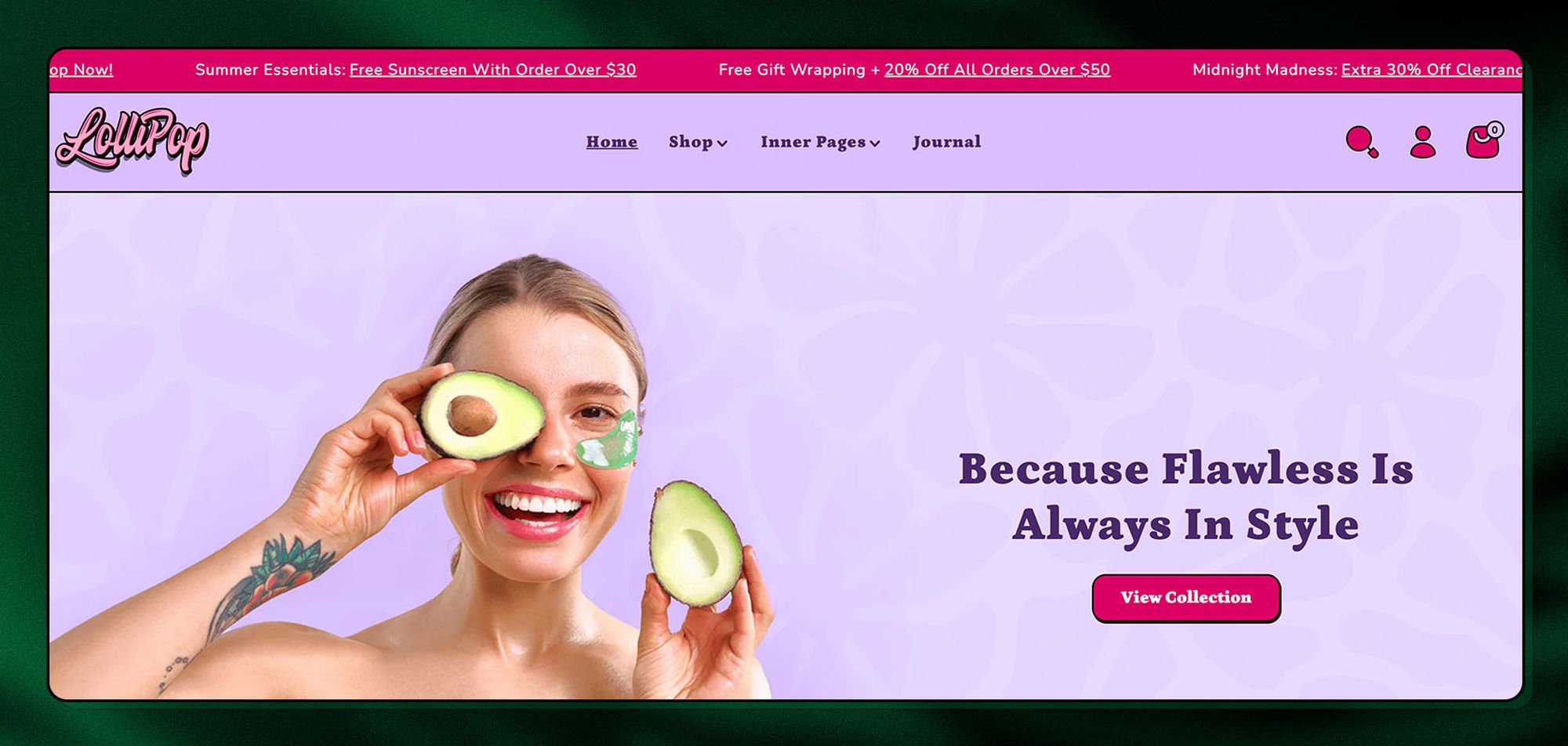
The Shopify theme Lollipop features a playful, modern design and is particularly suitable for beauty, cosmetics, and lifestyle brands. It combines creative layouts with conversion-optimized features to present products in an appealing way.
Features:
Playful, modern design: Cheerful colors and creative layouts for a lively brand experience
Product presentation: Before/after sliders, zoom, rollover effects, and interactive hotspots for detailed product presentation
Focus on product details: Ingredients, application instructions, videos, and tabs for a transparent presentation
Optimized product search & navigation: Mega menu, filters, infinite scroll, and sticky header for a user-friendly shopping experience
Preconfigured templates & styles: Two design templates (Lollipop and Nysa) for a quick start
Conversion optimization: Promo banners, quick view, recommended products, and sticky cart for higher conversion rates
Responsive/mobile-friendly: Optimized for shopping on smartphones and tablets
Reading tip: Supporting multiple languages and currencies requires more than just a theme. Read all about internationalization in our article on Shopify Markets.
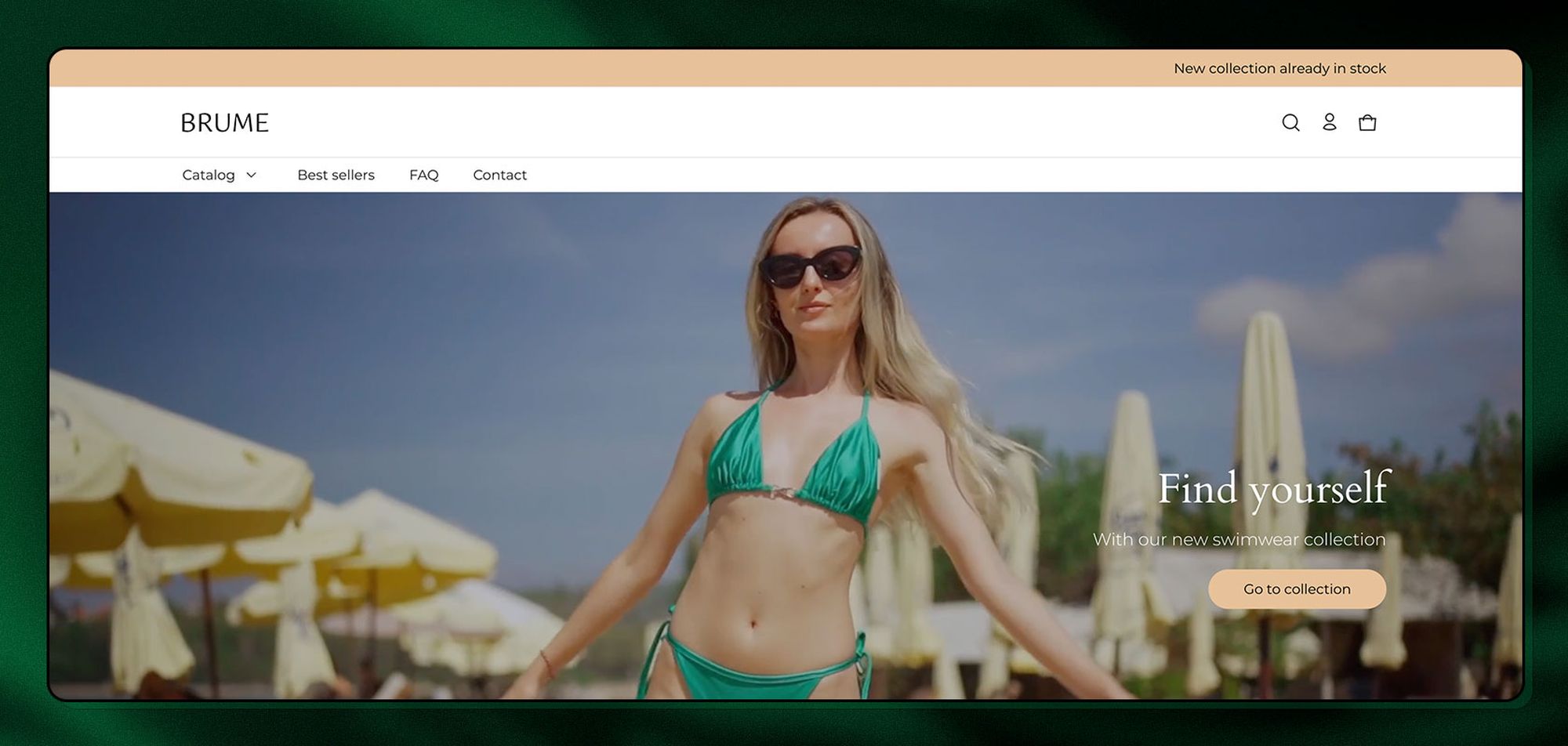
The Shopify theme Brume is ideal for stores that want to present high-quality fashion, accessories, or lifestyle products in a stylish way. With a modern, elegant design and clever features, Brume ensures a pleasant shopping experience and increases conversion rates.
Features:
Modern, elegant design: Clear typography, generous white space, and high-quality product presentation
Flexible sections & layouts: Customizable home and product pages with modular blocks for maximum design freedom
Product presentation: High-resolution images, image zoom, rollover effects, and galleries for detailed product views
Optimized navigation: Mega menu, filter options, and sticky header for intuitive operation.
Responsive/mobile-friendly: Optimized for desktop, tablet, and smartphone for a seamless shopping experience.
Multilingualism & currencies: Support for international shops, including EU languages.
Reading tip: Here you’ll find examples of custom themes we’ve developed for our clients.
Conclusion
Since your Shopify theme will ideally accompany you for several years, you should consider well in advance which requirements it has to fulfill and whether it ideally underlines your brand. So take your time for this and compare several design templates, look at the layouts and Shopify templates of the live demo and only then make a decision. This way, you have a good chance of finding an e-commerce theme right from the start that you are satisfied with and that adequately supports your project.
Our Tip for 2026: Install your favorite theme as a private copy, populate it with real products, test its performance and accessibility, and then make your decision. When standard themes reach their limits, creating your own theme is the next step.
We wish you a lot of fun while browsing and testing and are always happy to be there for you - both for a consultation and for the implementation. Contact us
Frequently asked questions about Shopify themes
What is a Shopify theme?
Shopify themes are design templates that are used to create an online store on Shopify or Shopify Plus. Themes not only determine the visual appearance of a store, but also specify which functions are integrated.
What are the best Shopify themes?
There is no blanket answer to the question which Shopify theme is the best. You should choose a design template that fits your personal needs. In this article, we'll take a closer look at our 15 favorites and discuss their various features. Maybe you'll find just what you're looking for here.
How to install a Shopify theme?
Shopify theme templates can be selected/purchased directly from Shopify Theme Store and added to your Shopify admin area with just a few clicks. Use “Test Theme” to install it as a draft first and test it with your data.
Where to buy Shopify themes?
In the Theme Store, you can purchase a ready-made Shopify theme. You can also get themes from third-party vendors or appropriate online marketplaces. However, you can also find very good free design templates in the Shopify Store.
Are Shopify themes free of charge?
There are free and paid Shopify themes. The free versions are developed by Shopify itself, whereas the paid ones are from third-party developers. Paid themes cost a one-time fee of about 100 to 500 USD.
What is the most popular Shopify theme?
There are several popular Shopify themes, but among the most popular here are Symmetry or Prestige, for example. Horizon has also established itself as the new default theme for new stores.
Should I buy a Shopify theme?
Whether it makes sense to buy a theme depends on what features are desired and what requirements the Shopify theme should meet. The main difference between a free and a paid Shopify theme often lies in the features and design customization options. Paid themes usually offer more features, functions and customization options that allow you to create a unique store.
Are Shopify themes optimized for mobile?
Yes, the themes in the Theme Store are responsive. However, actual mobile performance depends on images, apps, and customizations. Check your store's Core Web Vitals.




 With the Shopify Theme Editor, you can further customize your responsive design and ensure that it looks good on both desktop and mobile devices. The editor offers a preview function that allows you to test the design on different screen sizes before publishing changes. Shopify also offers a variety of apps specifically designed to optimize mobile experiences. These apps make it possible to integrate certain mobile features such as quick view of products, mobile payment options or customized mobile navigation.